Overview of the Myra DataHub portal
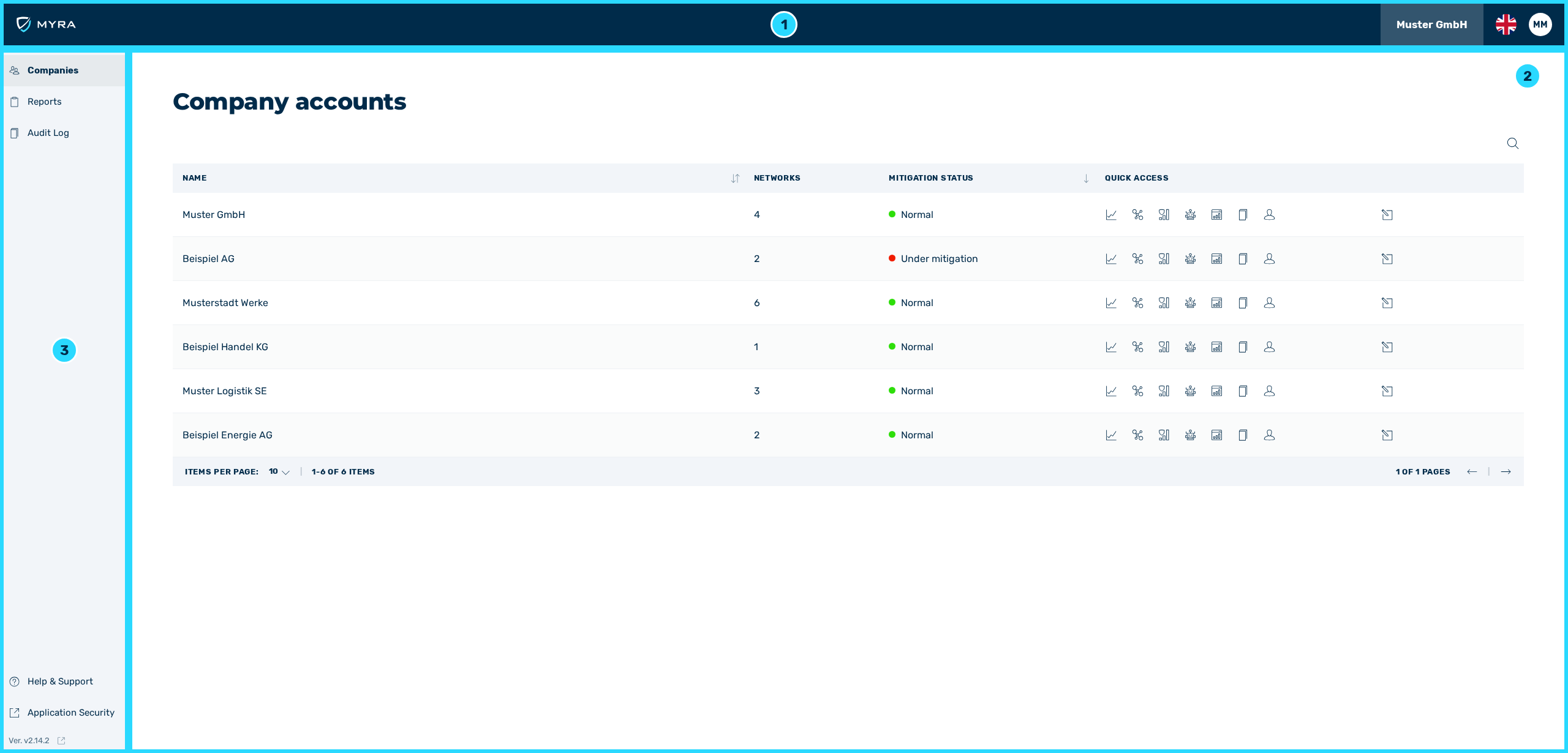
Overview Home
After logging in, the Dashboard home page of the Myra DataHub appears.
On the home page, you can find the following information:
-
■ Top menu bar with access to the following buttons (1):
- ■ Button with the company name for accessing user management
- ■ Button with flag icon for selecting the user interface language
- ■ Button with user profile picture for managing your own account settings
- ■ In the event of maintenance, important information about the type and duration will be shown here as a separate banner.
-
■ Shows the content of the individual views (2)
-
■ Tabs with the following views (3):
- ■
 Company
 - ■
 Report
 - ■
 Audit Log
 - ■
 Application Security for opening the Myra App
 - ■ Help & Support for opening the online help
- ■ Display of the current version number, with the icon for opening the Changelog view
- ■