Stop manual mitigations
Proceed as follows to stop a manually started mitigation:
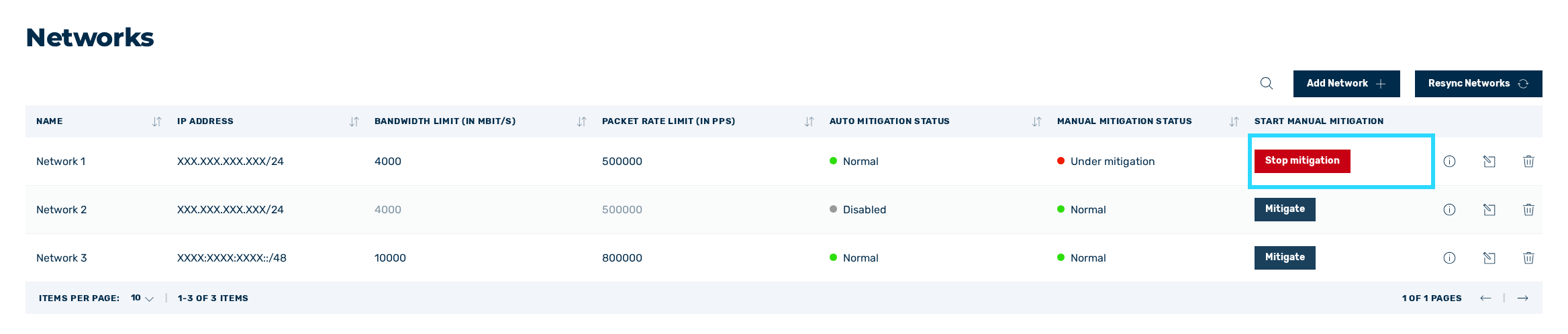
Buttons for ending a mitigation
- ► Click on the Stop mitigation button or the (X) Stop mitigation(s) button.
- ↳ The Mitigate network or IP address(es) dialog opens.
-
► Click on the Stop mitigation button.
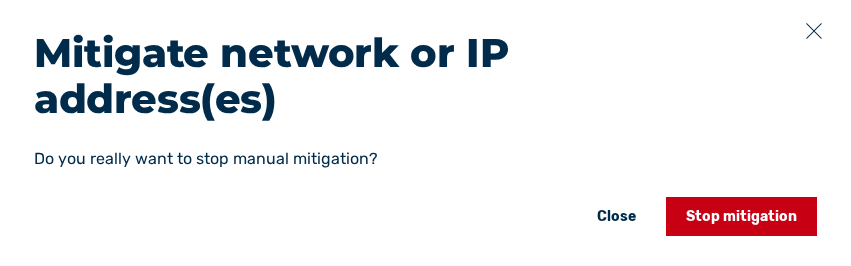
Dialog for finishing a mitigation - entire network
Note
The mitigation icon  next to the Networks view in the left navigation bar remains visible for as long as the Myra DataHub is running mitigations. The mitigation icon only disappears once all running mitigations have been stopped.